In plain English
- Allowance: the amount of use an AI subscription plan gives you in a set window, such as five hours or a week, before it resets.
- Roll over: carry unused allowance into the next window. On these plans it doesn't.
- Allowancemaxxing: my name for using your allowance before it resets.
- Limit reset: a one-off that sets your allowance back to full when you choose, with an expiry date.
- CLAUDE.md / AGENTS.md: the instruction file Claude Code (CLAUDE.md) or Codex (AGENTS.md) reads at the start of every session.
- Cron task: a job a computer runs on a schedule.
- Subagent: a helper AI that a main assistant hands smaller jobs to.
Has this happened to you? You sit down to do some work, and all of a sudden you realise you've got so much more left in your AI plan's allowance than you thought, and it resets tomorrow. Or you sit down to finish something and there isn't enough allowance left to finish it. How do you get through that?
Allowancemaxxing, for me, is making sure I've used as much of my allowance windows as I can, for the weekly limits on my Max plans across Anthropic, OpenAI and Cursor. If I get to within a day of a reset and I've only used a small percentage, it feels almost like FOMO. It's like a waste.
The allowance doesn't roll over, and Google's Workspace page says: "Usage limits don't roll over" (Google Workspace).
Each plan resets on its own schedule. Anthropic gives Claude's paid plans "a session limit that resets every five hours, and weekly limits that reset once every week." On Plus and Business, Codex counts usage "per five-hour period", and Pro has weekly limits only (OpenAI). In the Gemini app, your limit "refreshes every 5 hours until you reach your weekly limit" (Google), and Cursor's allowance "refreshes weekly".
ChartWhen your allowance resets
One week of steady use. Each tick is a reset.
Illustration only. On Claude plans the five-hour limit resets five hours after your first message, so real reset times depend on when you start. Sources: Claude Pro, Max and Team, Codex on ChatGPT Plus and Business, Gemini app, Cursor, Gemini in Google Workspace.
Show as a table
| Plan | Resets | What the provider says |
|---|---|---|
| Claude Pro, Max and Team | Every 5 hours + Weekly | A session limit that resets five hours after your first message, and a weekly limit. Anthropic |
| Codex on ChatGPT Plus and Business | Every 5 hours + Weekly | Usage is counted per five-hour period, and weekly limits may also apply. OpenAI |
| Codex on ChatGPT Pro | Weekly | No five-hour limit; weekly limits may apply. OpenAI |
| Gemini app | Every 5 hours + Weekly | Your limit refreshes every five hours until you reach your weekly limit. Google |
| Cursor | Weekly | Your allowance refreshes weekly. Cursor |
| Gemini in Google Workspace | Daily + Monthly | Daily or monthly, depending on the feature. Usage limits don’t roll over. Google |
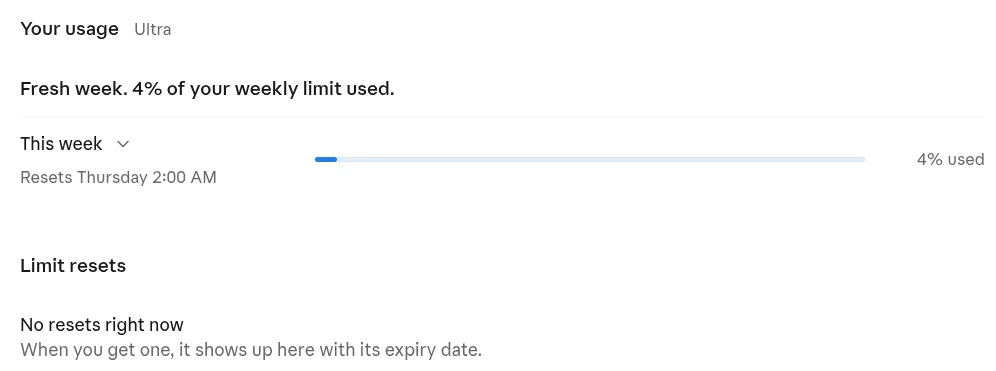 Claude: Settings → Usage
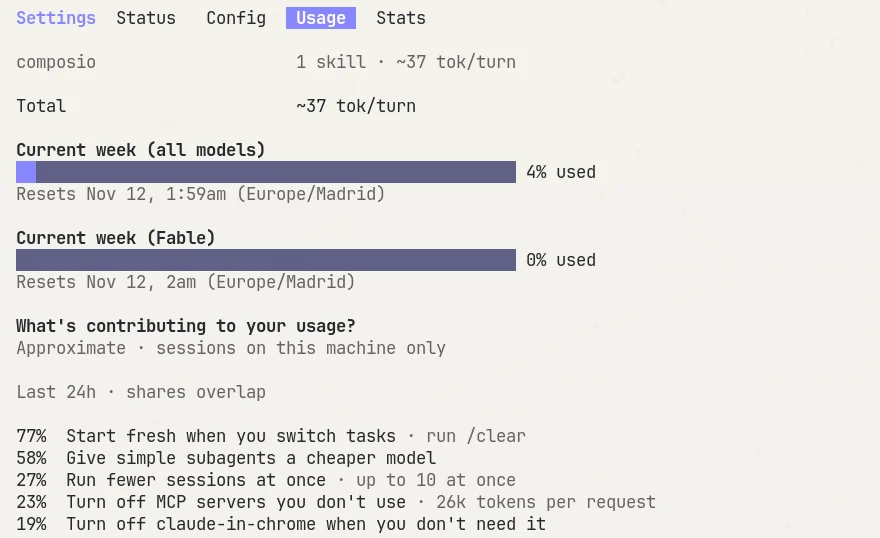 Claude Code: type /usage
 ChatGPT: Settings → Usage
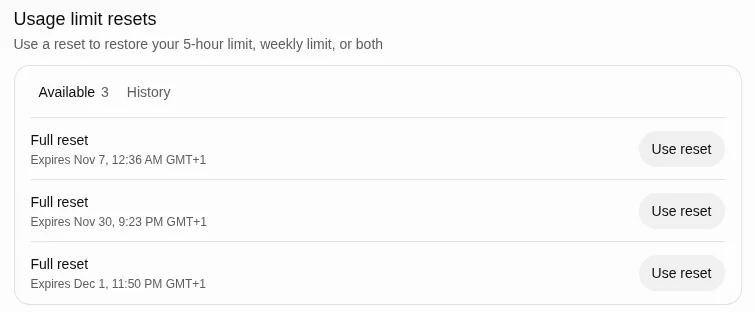 ChatGPT: saved resets, each with an expiry date
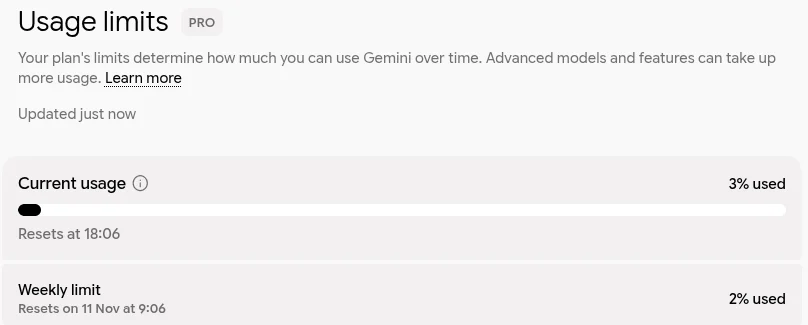 Gemini: Settings → Usage limits
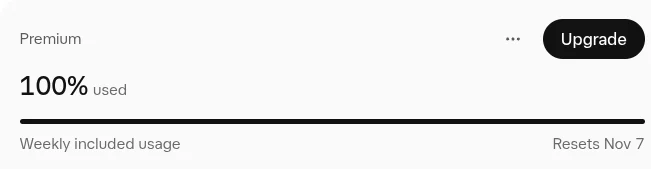 Cursor: dashboard, weekly included usage
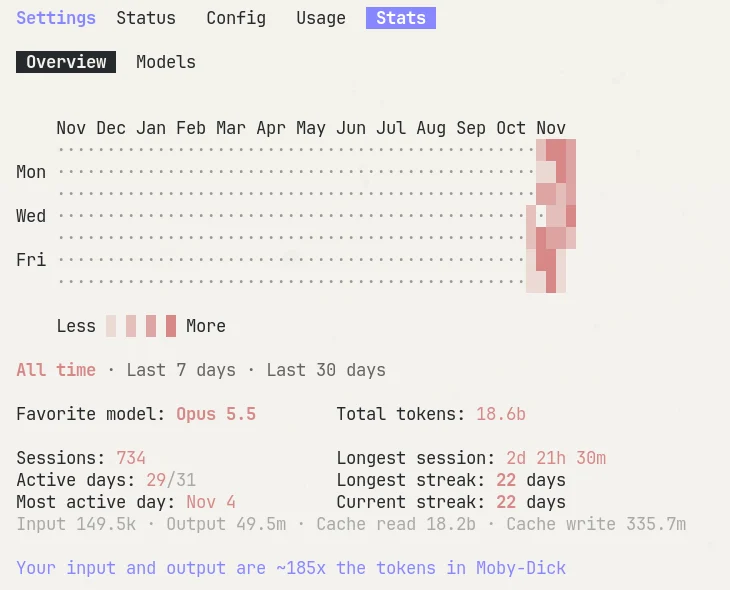 Claude Code: /stats shows a year of use
If you run short before the reset, some plans let you use a limit reset, which sets your allowance back to full. OpenAI resets limits occasionally, like it did after OpenAI DevDay, and when I log into Codex it says something along the lines of: you have three resets left that you can use this week. One of my three expires on 7 November.
Since June, OpenAI has let Codex users save rate limit resets to use later. On Plus and Pro you can also buy an instant reset, which OpenAI says "pulls your normal weekly allowance forward rather than adding a separate usage entitlement."
Anthropic gives out limit resets too. Limit resets "are given occasionally to eligible plans, and set your usage limits back to full when you choose to use one," and Anthropic says "an unused reset expires on the day and time listed on the offer."
Cursor offers a reset in exchange for sharing your data. When I'd used all of this week's Cursor allowance, the Cursor dashboard told me "You've hit your usage limits" and said I could get more usage when I share data "to help us improve", with a button to reset my limits.
Caution
If you have a reset saved, use it with caution. You don't have unlimited ones, and whether it's worth using one depends on how desperate you are, how close you are to your weekly reset, and the amount of work you have to do. It's like a get-out-of-jail-free card in Monopoly.
Without a saved reset, some people set cron tasks on their computers to start a task at the beginning of an allowance window, so the five-hour clock starts early and the next reset comes sooner.
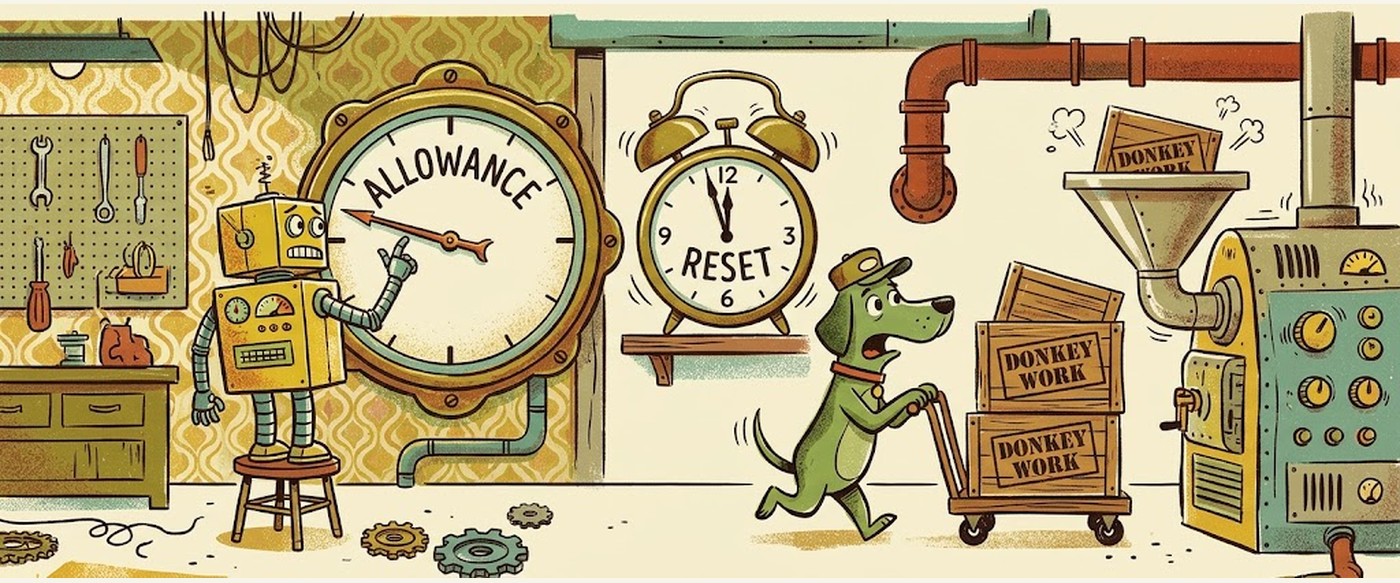
If you have too much left near the reset, my approach is making sure you're aware of how much allowance you have left within a certain amount of time. Wouldn't it be great if you had a subagent saying: there's some low-level donkey work we could be doing, and I see we've used 5% of our allocated time in this one-hour stretch, so I should make best use of that?
Your assistant can't see how much of your plan is left, so keep a list of donkey work ready and start it yourself when you have plenty left.
InteractiveDonkey work queue
Signal Over Noise · Donkey work queue
Paste this into your assistant
Claude Code reads it from CLAUDE.md, Codex from AGENTS.md, and Cursor from its rules. You can also paste it at the start of a session.
Run
/usagein Claude Code, or/statusin Codex. In the apps, the screenshots above show where each one keeps it.Result How much of this week you've used, and when it resets.
Write down when each of your plans resets.
Result One line per plan, with its day and time.
Build your queue above and paste it into CLAUDE.md or AGENTS.md.
Result A "Donkey work queue" section in the file.
A day before a weekly reset with plenty left, tell your assistant: "Start the donkey work."
Result It works through the list from the top and writes what it did to donkey-work-log.md.
Run
/usageagain.Result The weekly figure has gone up, and the log lists the jobs done.
In the Kit Library, members can get the donkey-work skill ready to install, and a scheduled task that runs it before the allowance resets.