beginner 25 minutes
What is a context window? Claude, ChatGPT and Gemini sizes
A context window is how much an AI chat can hold. See its size in Claude, ChatGPT and Gemini, what fills it, and what to do when a chat drops an instruction.
You'll be able to
- Explain what shares one chat’s window, using what each product’s help page says.
- Pick the attachment most likely to use the most of the window before you upload it.
- Decide whether to trim the file, start a fresh chat, or put standing notes in a project.
- Copy the instruction that still matters and the passage you are working on into a new chat.
- Who it’s for
- anyone who uses Claude, ChatGPT or Gemini at work in the app or on the website. No technical background needed. If you want to know how the assistant picks its words, that is a separate guide: how LLMs predict the next word. This one starts from the chat you already have.
- Time
- about 25 minutes: 10 to read, 5 for the interactive and 10 for the exercise.
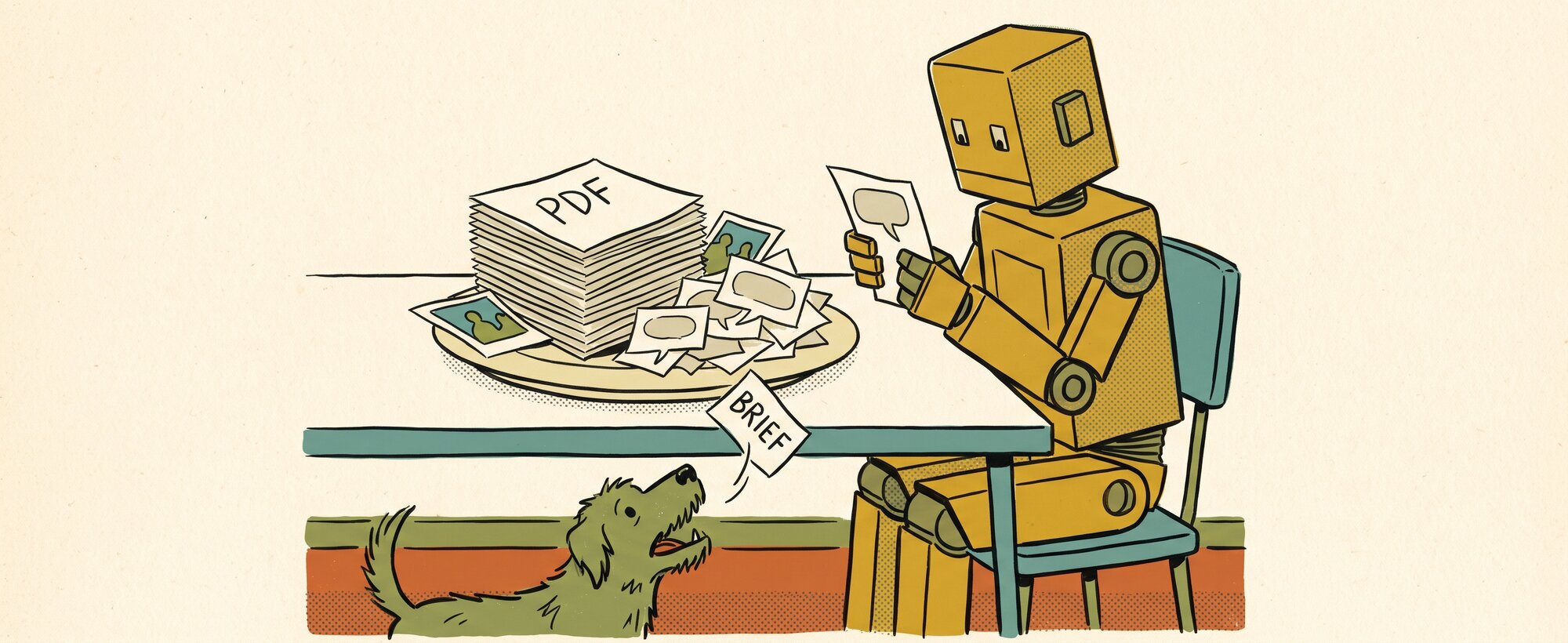
You paste a long brief into a chat, add a PDF and a few screenshots, and an hour later the assistant suggests something over the price cap you gave it at the start. Why did it lose the cap, and what do you do about it?
One thing that can cause this is the context window, the amount of material an assistant can work with in a single chat. Anthropic’s help page calls it working memory. Your instructions, pasted text, uploaded files and the assistant’s replies all count toward it. The size differs by product and plan, and what happens when it fills differs too. ChatGPT’s help page says a summary carried into a new chat can leave out an earlier instruction, and Gemini’s says a window that is too full can miss details. This guide covers what counts toward the window, how large each product’s window is, what each does with a long chat, and what to do about it.
Part 1 of 4 Learn
What counts toward the window
The window holds more than the questions you type, and the help pages name each thing that shares it:
- Your messages and the assistant’s replies. On ChatGPT both take up space, and a few long exchanges can take more space than many short ones. There is no fixed message count.
- Space for the next reply. Claude always reserves a portion of the window for its response, so the longest conversation is slightly smaller than the full window.
- Project instructions and project files. In Claude, keep project instructions concise and put task-specific instructions in the chat. Anthropic says projects load only the relevant content into the window, and suggests removing files you are not using.
- Tools and connectors. Both Claude help articles call them token-intensive.
- Thinking. When the assistant thinks before it replies, that thinking uses window space too, and higher effort levels use more tokens. Anthropic lists turning extended thinking off and lowering the effort among the ways to make the most of the window and your usage. On Opus 5.5 and Fable 5.1, thinking is always on, so only the effort level can be lowered.
- Uploaded files. Every file you attach uses space. Gemini’s page calls the window its reading capacity: how much content, uploads included, can be understood together at one time, and a larger window allows longer prompts and chats.
- Long pastes in ChatGPT. If you paste more than 10,000 characters, ChatGPT turns the paste into an attachment so it doesn’t fill the whole window. Show in text field puts it back in the message.
Claude’s developer documentation, which describes the API that programmers use, adds that the system prompt, every message, tool results, images, documents and the model’s thinking all count. A token is the unit these sizes are counted in, a small piece of text that is often a word or part of one. The consumer help pages give no single words-per-token rate that fits all three products, so this guide leaves one out.
InteractiveWhat shares this chat
Claude models with a 200K window on paid plans
About 7,100 of 200,000 tokens, 4% of the window. The biggest single item is one of the assistant’s replies.
- Standing instructionThe brief you gave at the start, about 500
- A 20-page PDFAbout 2,000 a page for the text alone, so 40,000
- A 1000 × 1000 pixel imageAbout 1,300 each
- Your messagesAbout 300 each
- The assistant’s repliesAbout 800 each
When a chat fills up
- Claude on paid plans with code execution on, summarises earlier messages as the chat nears the window, and a chat that triggers a summary uses more of your usage limit.
- ChatGPT says the context window is full and can offer a new chat with a summary, which can leave out an earlier instruction.
- Gemini responses past the window can fail to take all the content into account and miss connections or details.
The amounts are round illustrations. The PDF and image figures follow Anthropic’s developer documentation, and the apps may count differently.
How large each product’s window is
Each product gives its window size in a different shape. These figures were read from the vendors’ own pages on 3 November 2026, so check the pages for anything newer.
| Product | Size depends on | What the page says |
|---|---|---|
| Claude, paid plans (Pro, Max, Ultra, Team, Enterprise) | The model | 1M tokens for Fable 5.1, Opus 5.5, Opus 5, Sonnet 5.5, Sonnet 5 and Haiku 5.5. 500K for Fable 5, Opus 4.8, Opus 4.7, Opus 4.6 and Sonnet 4.6. 200K for other models, which Anthropic puts at about 500 pages of text or more. |
| Gemini, personal Google account | The plan | 32k tokens without an AI plan, 128k on AI Plus, 1 million on AI Pro and AI Ultra. Google says 1 million tokens is up to 1,500 pages of text or 30,000 lines of code. |
| Gemini, work or school account | Your organisation’s Workspace licence | Google’s work-account page lists context sizes of 32 thousand and 1 million tokens, depending on the licence. |
| Gemini Deep Think | The mode | Google’s upload help page says Deep Think has a 192 thousand token window. |
| ChatGPT | Not published for the current models | OpenAI’s page on GPT-6 and the other ChatGPT models (updated 30 October 2026) gives no window size for regular chats. The last published figure, 256k tokens in total for Thinking chosen by hand (release notes, 20 February 2026), predates the current model menu. |
| Copilot | Not published | Microsoft’s help pages give no window size and don’t say what happens in a long chat. They cap uploads at 20 files a conversation, 50 MB each. |
The figures come from Anthropic’s page on paid-plan context windows, OpenAI’s ChatGPT release notes, Google’s Gemini Apps limits page, its work and school page, its file upload page and Microsoft’s file upload page. The page-count conversions apply to those windows only, so 500 pages is the 200K Claude case and 1,500 pages is the 1 million Gemini case.
Note
The same Claude model can have a different window in a different place. Claude Code and Claude Cowork have their own tables on Anthropic’s page, and the developer API lists 1M tokens for Fable 5, Opus 4.8, Opus 4.7, Opus 4.6 and Sonnet 4.6, where the chat table says 500K. A figure applies only to the product or surface where its page states it.
Attachments count toward the window
A PDF or a long pasted file can take more of the window than many messages, and the three consumer help pages give no token price for one image, one PDF page or one pasted link inside the app, so there is no verified price list. To judge which attachment is largest, count the pages of a PDF, compare the length of pasted text, and remember that images count too. What the pages do publish:
- Claude chat. A PDF of 100 pages or fewer is read for text and visuals. A PDF of 101 to 1,000 pages is read as text only. Other document types are text only. On paid plans, a project that nears the window switches to retrieval, which loads only the relevant parts, so it can hold up to about ten times more.
- ChatGPT. A PDF attached to the chat can be read for text and images, charts included. A file saved as a project file or as GPT knowledge may leave the embedded images out. Text and document files are capped at 2 million tokens each, per the file uploads page. That is an upload limit, far above any window size OpenAI publishes, so it doesn’t mean a whole file goes into the chat at once.
- Gemini. The window measures uploaded-file content, and a window that is too full can miss details, mostly when the answer depends on many details scattered through large files.
Anthropic’s developer documentation does publish figures for the API, which give a sense of how large each type is. A PDF page typically takes 1,500 to 3,000 tokens for its text, depending on density, and each page is also processed as an image. Dense PDFs can fill the window before the page limit.
In Anthropic’s API figures, a typical screenshot takes fewer tokens than a typical PDF page. An image generally costs more tokens as it gets larger, up to the size limit: a 200 by 200 pixel picture is 64 tokens and a 1000 by 1000 pixel picture is 1,296. These are API numbers. They show which attachments are large, and the app’s own counting may differ.
To see how a brief, a PDF and a few screenshots add up, pick your assistant and add them to one chat.
The window sizes are from each product’s help pages, read on 3 November 2026. The size of each item is a round illustration.
Will it fit?
Pick the assistant you use, then add what you would put in one chat and the bar shows how much of the window it takes.
Fits. About 500 of 200,000 tokens, under 1% of the window.
Add to the chat
Typed brief: about 500 tokens · Pasted document: about 10,000 tokens · PDF: about 2,000 tokens a page · Screenshot: about 1,300 tokens · Long chat history: about 60,000 tokens
In this chat
That’s as many items as this meter holds. Remove one to add another.
When the window is nearly full
- Trim the file. Choose the pages that matter and paste them in as plain text, instead of attaching the whole file.
- Start a fresh chat. Copy the instruction that still matters and the passage you are working on into a new chat.
- Put standing notes in a project. Put rules you want in every chat in a project, and keep the instructions short.
The item sizes are round illustrations. The PDF and screenshot figures follow Anthropic’s developer documentation for the API, and the apps may count differently.
What Claude, ChatGPT and Gemini do with a long chat
The help pages say this about long chats:
| Product | What the help page says happens | What it suggests you do |
|---|---|---|
| Claude | On paid plans with code execution turned on, Claude summarises earlier messages as the conversation nears the window, and keeps the full chat history so it can still refer to it. Anthropic says code execution must be on for this to work. Longer chats that trigger a summary use more of your usage limit. Anthropic adds that in rare cases, such as a very large first message, you can still hit the window. | Keep project instructions concise, remove files you are not using, turn off extended thinking or lower the effort level, and remember that tools and connectors use a lot of tokens. |
| ChatGPT | A “context window full” notice means the conversation has used the space available. The limit applies to this conversation only. If it offers to start a new chat with a summary, the summary can bring some context across and can leave out an earlier instruction or the exact wording of something you wrote. | Paste the passage you still need into the new chat. On Free you can start a new chat straight away, and you can still read and copy from the old one. |
| Gemini | Past the window, responses could fail to take all the content into account, or miss connections or details. | Start a new chat when you change topic. |
Claude’s developer documentation says accuracy drops as the token count grows, and Gemini says a too-full window can miss details.
The usage limit is a separate budget
A long chat can use up your usage limit faster, and waiting for the limit to reset does not remove anything from the chat. Claude and Gemini both publish a usage limit that sits beside the window, on its own timer. On paid Claude plans there is a session limit that resets every five hours, plus weekly limits, and verified Ultra accounts have no five-hour limit. Claude.ai, Claude Code and Claude Desktop count toward the same usage limit. Gemini’s limits refresh every five hours until a weekly limit, and depend on prompt complexity, the models and features you use, and the length of the chat.
The window applies to one conversation. On Gemini, a long chat costs more usage because the history is read again each time. On Claude, longer chats that trigger a summary use more of the usage limit.
Part 2 of 4 Practise
Try it on your own work
You need your long chat open. Each step ends with what you should see.
- List what is in the chat: the first instruction, the later turns, any files or screenshots, and the assistant’s longer replies.Result a short list of what is in the window.
- Mark the item that probably takes the most space: count pages for files and length for pasted text.Result one item marked, with a note of how many of its pages you actually used.
- Choose one of three moves for that item: trim it to the pages that matter, leave it in the old chat, or move it into a project if you will need it again.Result a decision for the item, and a shortlist of pages if you trimmed.
- Copy the instruction that still matters and the passage you are working on into a new chat, with the trimmed pages if there are any.Result an answer that works from that passage and keeps to your original instruction.
Part 3 of 4 Check
Check yourself
A colleague attaches a 40-page catalogue PDF and three screenshots to a Claude chat that already holds the brief. What do you tell them to do first?
Trim the catalogue to the pages that matter and paste those into a fresh chat with the brief. At 40 pages, Claude reads the PDF for its text and its visuals, so the pages they don’t need still add to what the chat has to hold.
The assistant stuck to your price cap for an hour, then suggested something over it. What do you check, and what do you do next?
A long chat is one possible cause. Look for the cap in the thread. If the chat was carried over from an earlier one, ChatGPT’s help page says a summary can leave out an earlier instruction or the exact wording. Paste the cap into a new chat along with the passage you are working on.
You want the same rules on every new chat: the budget, who it is for, what to leave out. Where do those rules live, and what goes in the chat?
Standing rules go in a project, which Claude and ChatGPT both have, and in Claude those project instructions should stay concise. The chat gets the task and the passage for this run.
A colleague trims their typed questions to save space but keeps three screenshots, a tool connector and a project file switched on. What have they missed?
Typed questions are only one part of what the window holds. The screenshots, the connector’s results, the project file and the assistant’s own replies and thinking all count too, so those are the places to trim.
A teammate says, "I'll wait five hours for the window to reset." What would you tell them?
The five-hour timer applies to the usage limit, which is a separate budget. The window applies to one conversation, so waiting for the timer does not change what is in the chat.
Part 4 of 4 Keep
Keep this
Trim the file, then start a fresh chat
- Trim before you upload. Choose the pages that matter and paste them in as plain text, instead of attaching the whole file.
- Give each topic its own chat. Gemini’s page says to start a new chat when you change topic, so it does not re-read a long history.
- Keep standing rules out of the running chat. Put them in a project, and keep the instructions short.
- Carry only what you need. Copy the instruction that still matters and the passage you are working on into a new chat.
- Keep the old chat. In ChatGPT you can still read it and copy from it, and with code execution on, Claude keeps the full chat history when it summarises.
- Switch off what you are not using. Tools and connectors use a lot of tokens, and unused project files take space. Lower the effort when the task is routine.
For the price cap: paste the cap and the passage you are working on into a new chat, and put standing rules in a project so every chat starts with them.
In the Kit Library, members can get a fresh-chat handover prompt that carries the instruction that still matters and the passage you are working on into a new chat, and a project-notes template for standing rules.
Read next
- Happy Birthday, Dear… how LLMs predict the next word covers how the assistant chooses each word it writes.
- Skills, then agents, then context puts context in order with skills and agents. This guide starts where that post stops.